Social Items


The Panagbenga 2023 Schedule of Activities was already announced.


The schedule of activities for Panagbenga 2023 or the Baguio Flower Festival 2023 was launched. It can be recalled that the celebration of the Panagbenga Festival were cancelled during the height of the pandemic.

Now, with the steady decline of cases despite the major activities in Baguio City like the Session Road in Bloom, Lantern Parade among others, we all hope to see the return of the same vibrant celebration of the Panagbenga before the pandemic.

For those who are planning to book a stay for Panagbenga, I have a list of 10 Best Hotels to Book Near Burnham Park in Baguio.

Loading...

WHAT TO BRING FOR BAGUIO

Here are some things you might consider bringing with you for your day tour / adventure:

Shopee is my go-to app for things I needed like the ones above. If you'd like discounts and vouchers, you may get the best offers here:

Panagbenga 2023 Theme

For the Panagbenga 2023 the Theme is “A Renaissance of Wonder and Beauty”

Official poster for Panagbenga 2023


Panagbenga 2023 Schedule of Activities

Updated as of January 30, 2023

Panagbenga Grand Opening Day Parade

When: February 1, 2023, 8:00 AM
Where: Panagbenga Park-Session Road-Harrison Road-Melvin Jones Grandstand & Football Grounds


PanagbengaScapes Professional Landscaping Competition

When: February 1- March 5, 2023
Where: Melvin Jones Grandstand &Football Grounds


Baguio Blooms A Market Encounter

When: February 1- March 5, 2023
Where: Juan Luna Drive and Skateboard Area, Lake Drive, Burnham Park


Panagbenga Sunday's Showcase

When: February 5,12,19 2023
Where: Session Road


School-Based Flower Arrangement and Landscaping Competition

When: February 11,14,15 2023
Where: Participating schools (Elementary and High School Category)


Handog ng Panagbenga sa Pamilya Baguio

  • Let a thousand flowers bloom
  • Panagbenga Kite-Flying Challenga
  • Panagbenga Cultural Show
  • Panagbenga Fitness Frenzy

When: February 12, 2023
Where: Melvin Jones Grandstand & Football Grounds


PMA Alumni Homecoming'

When: February 16-18, 2023
Where: Philippine Military Academy, Fort del Pilar


Panagbenga Cultural Dance Competition

When: February 18, 2023
Where: Melvin Jones Grandstand & Football Grounds


Fluvial Parade

When: February 19, 2023
Where: Burnham Park


Mardi Gras at the Lake

When: February 19, 2023, 3:00 PM
Where: Session Road to Burnham Lake


Festival Sponsors Row

When: February 25-26, 2023
Where: Melvin Jones Grandstand & Football Grounds


ATTRACTIONS TO SEE IN BAGUIO 

Klook.com

Grand Street Dance Parade

When: February 25, 2023, 8:00 AM
Where: Panagbenga Park - Session Road - Harrison Road - Melvin Jones Grandstand & Football Grounds


Grand Float Parade

When: February 26, 2023, 8:00 AM
Where: DILG - Session Road - Harrison Road - Lake Drive - Melvin Jones Grandstand & Football Grounds


Session Road in Bloom

When: February 27- March 5, 2023
Where: Session Road


A Tribute to the Father of Panagbenga

Atty. Damaso E. Bangaoet Jr. Statue Unveiling Ceremony

When: February 24, 2023
Where: Panagbenga Park, South Drive


Flower-tee golf classic

When: March 3-4, 2023
Where: Baguio Country Club


Pony Boy's Day

When: March 4, 2023
Where: Wright Park


Awarding and Closing Ceremonies

When: March 5, 2023
Where: Melvin Jones Grandstand & Football Grounds


Grand Aerial Fireworks Display

When: March 5, 2023
Where: Session Road and Burnham Park


Here's the summarized pubmat of all the events for Panagbenga 2023:

Panagbenga 2023 Schedule of Events

To get the latest news and most updated events, follow the official Facebook page for Panagbenga Festival.


ACTIVITIES AND TOURS IN BAGUIO


Baguio Flower Festival Foundation, Inc.

For basic inquiries on all Panagbenga events:
BCVB Building, Abad Santos Drive, Burnham Park, Baguio City, Philippines 2600 Telefax: (+63)(74) 442 4315
secretariat@panagbengaflowerfestival.com

For Sponsorship & Exhibitor, please email:
exhibits@panagbengaflowerfestival.com

For Baguio Blooms Exhibition & Exposition and Session Road in Bloom, please email:
exhibits@panagbengaflowerfestival.com


IMPORTANT NOTE: The rates, contact details and other information indicated in this post are accurate from the time of writing but may change without IMFWJ's notice. Should you know the updated information, please message us on Facebook.

WHERE TO STAY IN BAGUIO:


PANAGBENGA 2023: Schedule of Activities for Baguio Flower Festival


You love Spider-Man (and you insist it must always be hyphenated) and know every little thing about this Marvel Comics superhero. For instance, you relish telling anyone who would listen that the radioactive spider that bit Peter’s hand bit another student’s ankle before it died and that student (Cindy Moon alias Silk) also gained superpowers from the radioactive spider bite.


Perhaps, you adore not Spider-Man but the X-Men, Goku from Dragon Ball Z, or Ariel from Disney's version of “A Little Mermaid.” It doesn’t matter which comic, manga, anime, television, film, or game character you like.

You’d surely love a comic con festival that celebrates popular culture, like the Middle East Film & Comic Con (MEFCC) happening at the Abu Dhabi National Exhibition Centre (ADNEC) on 3-5 March 2023 in Abu Dhabi, United Arab Emirates.

Loading...

If you're a comic-book nerd and have had your share of comic cons, you know what to expect and what you're in for, so you should be fine. However, if you're a comic con newbie, especially when it comes to international comic cons like the MEFCC, everything can be extremely overwhelming.

Exhilarating, breathtaking, fun — yes, the experience should be all that and more. Still, it can be so hectic, mind-boggling, and staggering that it leaves you clueless about how to act and conduct yourself. Unable to decide what is and what is not done, you might end up not doing anything fun.

You certainly don't want that, so read on for some valuable advice on etiquette for comic con novices.


1. Ask for Permission Every Time


See an artwork you like? Do not take a photo without asking for consent from the artist.

For instance, suppose you are at the MEFCC’s Artist Alley and find an interesting artwork on exhibit.

Remember that although the piece is on display, you cannot assume the artist has given the public (yes, you) the license to take photos as it wants. Instead of assuming consent, ask the artist outright. Frankly‌, how hard could it be to approach the artist and ask them for permission to take pictures of their work?

How about cosplayers? Can you take their pictures at will?

Cosplayers come to comic cons to display their costumes. They’re there to let hundreds or thousands of people witness their transformation into their favorite comic, manga, anime, TV, film, or game character. That said, you cannot assume they consent to their pictures being taken.

Therefore, if you see cosplayers you’d love to snap pictures of, approach them and ask them for permission before you focus your camera and start clicking the button or shutter.

Oh, and speaking of focus, do not take disrespectful photos (like one zoomed in on a cosplayer’s behind). It's best to take full-body shots, although close-ups of cosplayers’ faces should be alright if pictures are taken with consent.

Finally, when posing for photos with other people (cosplayers, artists, celebrities, other comic con attendees), do not put your hands on another person’s body or come so close your bodies are touching without first asking if it’s alright to do so. Ask permission before imposing on another person’s rights and space, and you should be okay.

One final note: If you intend to publish your photos online (which is likely), tell those you shoot that their photos may end up on social media or your website. Note the artists’ and cosplayers’ names, so you can correctly attribute their works to them.


2. Do Not Monopolize Anyone’s Time


At the MEFCC, you will get the opportunity to meet your favorite artists and creators in Meet The Stars. As you get your shirt or merch signed and pose for photographs, you will get the rare chance to chat with them.

Even if you have a lot of things you wish to say or a gazillion questions you feel you must ask, rein yourself in and keep things short. Just say one or two lines about how much you enjoy their work. You can perhaps tell them which of their work is your favorite, but that’s it.

Meet-and-greet events are for everyone with a ticket, and your favorite writer, artist, or actor has hundreds of other people to meet. They cannot chat with you for long, and you shouldn't try to monopolize their time.

How about if you're lucky enough to see them at an after-party, bump into them in the lobby, or share an elevator ride with them? It should be alright to chat, right?

It’s okay to start a conversation with anyone, celebrity or not. Just say “Hi!” strike up a conversation (about their work or their costume, not their appearance), and end it gracefully after a few minutes, especially if they let you know (with words or their body language) that they’re ready to leave.

You can even give them an opening like, “I’m sure you’re busy. It’s so nice meeting you.” If they need to leave, they’ll take the cue and walk away.

Whoever it is you end up talking to at a comic con — celebrities, stars, cosplayers, fellow comic con goers — you cannot monopolize their time. They have places to be, people to meet, and things to do, so you can’t trap them into conversing with you indefinitely.


3. Keep Things Appropriate


Even if you are impressed by how lovely a cosplayer is, refrain from talking about their appearance and physical attributes. Focus on the costume and the character portrayed by the cosplayer.

Likewise, if given a chance to ask artists and creators questions, especially in open forums, limit your questions to their work and creative processes. Do not ask personal questions; never ask them anything about their body or dating preferences.


4. Line Up


Comic cons are widely attended events, so you can expect long lines to get into the comic con venue, meet and greet stars, or participate in individual sessions. Line up properly, do not delay the queue, and never cut lines.


5. Come Prepared


You should come with a bag (a backpack or a large tote is a good option) packed with all your comic con necessities:
  • A refillable water bottle
  • Snacks
  • Pills for a headache or stomach upset
  • Notebooks and pens for autographs and note-taking in creative academy sessions
  •  A graphics tablet (for digital art workshops) or a sketchbook, pencils, and Sharpies (for non-digital workshops)
  • The merchandise you want signed
  • Your phone and camera, plus a portable backup power supply
  • A hat and sunblock (for outdoor events)
  • A foldable bag you can take out and use to carry merchandise you'll collect during the event
  • A change of clothes

Most importantly, make sure you shower and brush your teeth before you leave for the convention.


Ready for Your First Comic Con?


In March 2023, there will be cosplays, meet-and-greets, creative academy sessions, mini-concerts, contests, film screenings, panel discussions, and gaming tournaments in Abu Dhabi during the MEFCC.

It’s the perfect time to attend your first comic con. By keeping the above guidelines in mind, you’ll surely have a great time.

Comic Con Etiquette for Newbies

smart card registration online https smart com ph sim registration smart sim registration failed sim card registration philippines sim card registration globe sim card registration online tnt sim registration link dito sim registration

You can now start registering your SIM card with Smart.


This is required in order to comply with the SIM registration law, which seeks to prevent the spread of spam messages and scams. The SIM Card Registration Act or RA 11934 mandates all SIM card users, both existing and new, to register their SIM cards with their respective telecommunications providers starting December 27, 2022.

Loading...

All local SIM cards, including eSIMs, are covered by the SIM Card Registration Act. All SIM card owners are required to register their SIM cards within 180 days from the date of the law’s effectivity. Failure to register your current or new Smart Prepaid SIM card within the specified period will result in deactivation, making it useless for voice calls, internet access, text messaging, and other mobile services. SIM card registration is totally free of charge

To see the SIM registration links for all networks, visit HOW TO REGISTER SIM CARD IN THE PHILIPPINES


Register Existing Smart Prepaid SIM

Active Smart Prepaid subscribers, prior to the start of SIM registration (December 27, 2022), have a deadline of April 26, 2023, to register their SIMs. If you fail to register within the period specified, your SIM will be deactivated automatically.

Therefore, you cannot use the SIM for calls, texts, and mobile data. However, a deactivated Smart Prepaid SIM card will be given a 5-day grace period to register and get reactivated. 

On April 25, 2023, Pres. Ferdinand Marcos Jr. approved the 90-day SIM registration extension.


What information do I need to have my SIM card registered?

You need to provide the following information:
  • Full name
  • Date of Birth
  • Sex
  • Address
  • Government ID with photo
  • Declaration that the ID presented is true and correct


WHERE TO BUY A SIM CARD IN THE PHILIPPINES

Here are the top mobile networks (where you can purchase and get a SIM card) in the Philippines:

Shopee is my go-to app for things I needed like the ones above. If you'd like discounts and vouchers, you may get the best offers here:

How to register your Smart SIM card

Smart Communications has outlined their respective methods for registering SIM cards. Here’s how to register your Smart SIM card online:

  1. Go to the official Smart SIM card registration website: https://simreg.smart.com.ph
  2. Enter your 10-digit mobile number (ex. 9191234567) and click the “Register” button.
  3. If your SIM card is eligible for registration, you will be sent a One Time PIN (OTP) text message on your phone.
    • For those with Mobile Prepaid Pocket WiFi or Home Prepaid WiFi devices, you would need to enter your device’s modem dashboard to access the inbox where you can find the OPT text message.
    • For Smart Bro subscribers can go here for instructions on viewing the OTP.

  4. Enter the OTP on the registration website. Take note that OTPs have an expiration date.
  5. Once your OTP has been validated, you can continue with the registration.
  6. Enter all the needed information: Full name, Date of Birth, Gender, Address, and Nationality.
  7. You will be asked to upload a valid ID and a selfie photo (as a declaration that the ID presented is valid and correct). For the list of accepted valid IDs, go here.
  8. You can also add your contact number and email address. This is optional.
  9. Double-check all information.
  10. Tick the check box of the telco’s privacy notice, Attestation of Completeness and Accuracy, and marketing and promotional permission (optional).
  11. Finish the registration process.
  12. You will be given a reference number that will appear on your screen to signify the completion of registration. Keep this reference number as proof of registration.

If you are a Smart subscriber and doesn't know if you already registered your SIM, here's How to Check if Your Smart SIM is Already Registered on simreg.smart.com.ph

For Talk 'N Text subscribers, you can follow the step-by-step guide for TNT Talk 'N Text SIM Card Registration.


How to register your Smart Postpaid SIM card

For Smart postpaid subscribers, you simply need to confirm the personal information and IDs you have submitted during your postpaid plan application.

To do this, just text YES to 5858. You shall then receive a confirmation message from Smart upon successful SIM Registration.


Accepted IDs for SIM card registration

Here's a list of accepted IDs you can use for SIM card registration:


Frequently Asked Questions

Here are the answers to the most asked questions about Smart Prepaid SIM registration.

How many SIM cards can be registered under a single user?
There's no limit as to how many SIMs may be registered under a subscriber's name.

How to register Smart Prepaid SIM if a user is a minor?
SIMs for minors (below 18 years old) shall be registered under the name of the parent or legal guardian. To register the SIM, they will be required to present an ID and the consent of the minor's parent or guardian.

How to transfer the ownership of a Smart Prepaid SIM card?
You can visit the nearest Smart Store to file a transfer of ownership.

What are the additional requirements for Smart Prepaid SIM for business?
For businesses and organizations to use Smart Prepaid SIMs, the following information is required:
  • Business name
  • Business address
  • Full name of authorized signatory

Moreover, businesses will be required to submit the following documents:
  • Certificate of Registration (SEC or DTI)
  • In the case of corporations, a duly adopted board resolution designating the authorized representative, and in the case of other juridical entities, a special power of attorney

I just recently switched to Smart via Mobile Number Portability. Should I still register my Prepaid SIM?
If you just recently transferred or switched to Smart through Mobile Number Portability, you should register your SIM again via the online portal.

I am currently abroad but using a Smart Prepaid SIM. Do I still have to register?
If you are traveling abroad and using Smart's roaming service, you need to register your SIM through Smart's online registration portal to avoid deactivation.

What are the requirements to register Smart Prepaid SIM as a foreigner in the Philippines?
Foreigners will be required to submit the following documents:
  • Required documents for foreign nationals visiting as tourists:
    • Passport (copy of the page where the visa is stamped)
    • Proof of address in the Philippines (like booking in a hotel or another type of accommodation)
    • Return Ticket to country of origin or any other ticket indicating the date and time of departure from the Philippines

  • Required documents for foreign nationals with other types of visas:
    • Passport (copy of the page where the type of visa is shown)
    • Proof of address in the Philippines
    • Other relevant document, whichever is applicable: (1) Alien Employment Permit by DOLE; (2) Alien Certificate of Registration Identification Card (ACRI Card) by Bureau of Immigration or other types of official ID card issued by any other visa-issuing agency; (3) School registration and ID for students; (4) Type of travel or admission document validity issued by the DOJ for Persons of Concern (POC)

Note that the validity of SIM cards issued to tourists is only 30 days, after which they will be deactivated. It can only be extended upon the presentation of an approved visa extension. On the other hand, foreigners with other types of visas can obtain SIMs without the 30-day restriction.

What will I do if I lose my mobile phone or device with my registered Smart Prepaid SIM?
If you lose your mobile device with your registered SIM card, contact Smart and provide your full name, address, birthday, and mobile number. You can contact Smart Communications through their official Facebook page (https://www.facebook.com/SmartCommunications), or you can report it to the nearest Smart Store. Your lost Smart Prepaid SIM will be permanently deactivated for your safety, and you will receive a new SIM with the same mobile number.


What if I submit false information and a fake ID card during SIM registration?
Individuals who submit fraudulent information or fake IDs during the SIM registration process will face six months to two years in prison or a fine between PHP 100,000 and PHP 300,000, or both.

What to do if I experience errors or problems during SIM registration?
You can contact Smart's customer service hotline at *888 for free, send a message to its Facebook Messenger (https://m.me/SmartCommunications), or report it to the Smart Store near you. Also, you can call the DICT complaint center via hotline number 1326.


SMART SIM REGISTRATION: Link & Step-by-step Guide for Prepaid and Postpaid Subscribers


Based on Charles Cumming’s novel ‘The Plane,’ ‘Plane’ is an action thriller movie helmed by Jean-François Richet that follows the crew members and passengers of a flight piloted by a commercial pilot, Brodie Torrance.


Richet manages to make a risky yet successful landing on a dangerous island without any casualties after the plane gets damaged by a storm. After landing, Brodie realizes that not-so-friendly anti-government militias rule the island.

Loading...

When the armed rebels take most of the passengers hostage for large ransoms from their respective families, Brodie is left with no choice but to uncuff and count on the convict Louis Gaspare. The latter is an accused murderer who he is supposed to transport securely by order of the FBI. Now, the two team up to rescue the passengers and forsake this unfriendly island together.

The island’s secluded location not only captivates the viewers but also makes them wonder where was plane filmed. If you are curious about the same, you might be interested in what we have to share!


Plane Filming Locations

‘Plane’ was filmed in Puerto Rico and seemingly in California, specifically in the San Juan Metropolitan Area and Los Angeles. As per reports, the principal photography for the Gerard Butler starrer commenced in early August 2021 and wrapped up in about eight weeks or so in early October. Although the story is set on the Philippines’ Jojo island, the makers chose to shoot most of the movie on the Caribbean island, given its similar features.


San Juan Metropolitan Area, Puerto Rico

Almost all the pivotal sequences for ‘Plane’ were lensed in the San Juan metropolitan area, in the northeastern part of Puerto Rico, centered around the eponymous city. Specifically, Puerto Rico Convention Center at 100 Convention Boulevard in San Juan doubled as the airport terminal where many airplane-related scenes were shot. Given that the filming unit was granted permission to shoot on the site for a week or so, they had to be extra careful while recording all the scenes they planned.


ATTRACTIONS TO SEE IN MANILA 

Klook.com

Besides, most of the exterior scenes depicting the island of Jojo were taped on location in and around Castillo San Cristobal, Castillo San Felipe del Morro, both at 501 C. Norzagaray in San Juan, Barrio Obrero, and Roosevelt Roads Naval Station in Ceiba. In addition, the production team transformed the Pedrín Zorrilla Stadium or Coliseíto Pedrín Zorrilla at CW7H+X64, Calle Nemesio R. Canales in San Juan into a soundstage to lens various important interior scenes.


ACTIVITIES AND TOURS IN MANILA


Los Angeles, California

A few scenes for ‘Plane’ were possibly taped in Los Angeles, the largest city in California. The filming unit reportedly utilized the facilities of one of the film studios in or around LA and shot some key interior sequences for the movie. Located in Southern California, the City of Angels is home to numerous tourist attractions, including the Cathedral of Our Lady of the Angels, the Hollywood Sign, the Los Angeles Memorial Coliseum, and the Los Angeles County Museum of Art.

Where Was Plane (2023) Filmed?

sim registration, Talk 'N Text sim registration philippines sim registration tnt sim registration dito sim registration Talk 'N Text tnt sim registration app philippines sim registration irr Talk 'N Text sim registration failed  Talk 'N Text card registration online https Talk 'N Text com ph sim registration Talk 'N Text sim registration failed sim card registration philippines sim card registration globe sim card registration online tnt sim registration link dito sim registration

You can now start registering your SIM card with Talk 'N Text (TNT).


The SIM Card Registration Act or RA 11934 mandates all SIM card users, both existing and new, to register their SIM cards with their respective telecommunications providers starting December 27, 2022.

Loading...

All local SIM cards, including eSIMs, are covered by the SIM Card Registration Act. All SIM card owners are required to register their SIM cards within 180 days from the date of the law’s effectivity. Failure to register your current or new TNT Prepaid SIM card within the specified period will result in deactivation, making it useless for voice calls, internet access, text messaging, and other mobile services. SIM card registration is totally free of charge.

To see the SIM registration links for all networks, visit HOW TO REGISTER SIM CARD IN THE PHILIPPINES


Register Existing TNT Prepaid SIM

Active Talk 'N Text subscribers, prior to the start of SIM registration (December 27, 2022), have a deadline of April 26, 2023, to register their SIMs. If you fail to register within the period specified, your SIM will be deactivated automatically.

Therefore, you cannot use the SIM for calls, texts, and mobile data. However, a deactivated Talk 'N Text Prepaid SIM card will be given a 5-day grace period to register and get reactivated.

On April 25, 2023, Pres. Ferdinand Marcos Jr. approved the 90-day SIM registration extension.


What information do I need to have my SIM card registered?

You need to provide the following information:
  • Full name
  • Date of Birth
  • Sex
  • Address
  • Government ID with photo
  • Declaration that the ID presented is true and correct


WHERE TO BUY A SIM CARD IN THE PHILIPPINES

Here are the top mobile networks (where you can purchase and get a SIM card) in the Philippines:

Shopee is my go-to app for things I needed like the ones above. If you'd like discounts and vouchers, you may get the best offers here:

How to register your Talk 'N Text SIM card

Talk 'N Text  has outlined their respective methods for registering SIM cards. Here’s how to register your Talk 'N Text SIM card:

  1. Go to the official Talk 'N Text SIM card registration website: https://tntph.com/Pages/sim-reg
  2. Enter your 10-digit mobile number (ex. 9191234567) and click the “Register” button.
  3. If your SIM card is eligible for registration, you will be sent a One Time PIN (OTP) text message on your phone.
    • For those with Mobile Prepaid Pocket WiFi or Home Prepaid WiFi devices, you would need to enter your device’s modem dashboard to access the inbox where you can find the OPT text message.

  4. Enter the OTP on the registration website. Take note that OTPs have an expiration date.
  5. Once your OTP has been validated, you can continue with the registration.
  6. Enter all the needed information: Full name, Date of Birth, Gender, Address, and Nationality.
  7. You will be asked to upload a valid ID and a selfie photo (as a declaration that the ID presented is valid and correct). For the list of accepted valid IDs, go here.
  8. You can also add your contact number and email address. This is optional.
  9. Double-check all information.
  10. Tick the check box of the telco’s privacy notice, Attestation of Completeness and Accuracy, and marketing and promotional permission (optional).
  11. Finish the registration process.
  12. You will be given a reference number that will appear on your screen to signify the completion of registration. Keep this reference number as proof of registration.

For TAGALOG guide, visit - SIM Card Registration in TAGALOG (Paano mag-register ng SIM?)


Accepted IDs for SIM card registration

Here's a list of accepted IDs you can use for SIM card registration:


TNT SIM Registration (Link & Step-by-step Guide for Talk 'N Text Online Register)


Rizal Commercial Banking Corporation (RCBC) is one of the largest and most reputable banks in the Philippines.


If you are an RCBC customer or in need of assistance with their services, there are several convenient ways to get in touch with their customer support team.

If you are looking to file a complaint, here's a guide on how to contact BSP (​​​​​Consumer Assistance


1. Customer Service Hotline


RCBC provides a dedicated customer service hotline to assist customers with various inquiries and concerns. You can reach their customer service representatives by calling (02) 8885-8888. Be prepared to provide specific details about your inquiry or account to receive prompt assistance.


2. Email Support


For non-urgent matters or if you prefer written communication, you can send an email to RCBC's customer support team. Visit the official RCBC website and look for the "Contact Us" or "Email Us" section. When emailing, include your name, contact information, account details (if applicable), and a detailed description of your concern.


3. Social Media Platforms


RCBC is active on various social media platforms, including Facebook and Twitter. Sending them a private message or commenting on their posts can be an effective way to get assistance. Many companies, including banks, have dedicated social media teams that respond to customer inquiries promptly.


4. Visit a Local Branch


For face-to-face assistance, you can visit an RCBC branch near your location. Check the official RCBC website for a branch locator tool. When visiting a branch, bring valid identification, account details, and any relevant documents related to your inquiry or transaction.


5. RCBC Website and Online Chat


RCBC's official website (rcbc.com) serves as a valuable resource for account holders and potential customers. You can find information about their services, frequently asked questions, and important announcements. Some websites offer online chat support, allowing you to chat with a customer service representative in real-time.


6. Mobile App Support


If you are using RCBC's mobile banking app, there might be an option to seek help or support directly within the app. Look for a "Support" or "Help" section where you can submit inquiries or report issues related to mobile banking services.


7. Write a Letter


Traditional mail is another option for contacting RCBC. You can write a letter explaining your concerns and send it to RCBC's main office address:

Rizal Commercial Banking Corporation
Yuchengco Tower, RCBC Plaza, 6819 Ayala Avenue, Makati City, 1200 Philippines


ATTRACTIONS TO SEE IN MANILA 

Klook.com

When contacting RCBC through any channel, it's important to be clear and concise about your issue, providing as much detail as possible. This will help the customer service team understand your concern and provide you with an accurate and efficient resolution.

Maintain a professional and respectful tone in your communication, even if you are frustrated. Polite and clear communication will help RCBC's customer service representatives assist you effectively and efficiently, ensuring a positive experience for both parties.


ACTIVITIES AND TOURS IN MANILA


Other Banks Contact Information


How To Contact RCBC (Hotline Number, Email Address & Customer Service)


Finally, I resolved my Smart SIM registration, here's how!


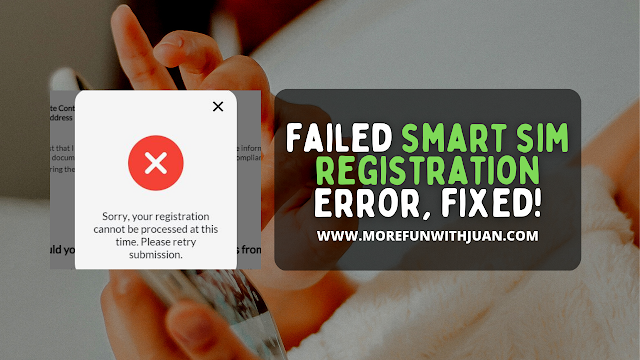
Last week, I tried to register my Smart SIM thru their website (for the Nth time!) However, I always get this message when I reach the last step of the process:


"Sorry, your registration cannot be processed at this time. Please retry submission."

So I tried to fix it right away and shared my whole experience on my last blog where I performed several troubleshooting steps and even chatted Smart's customer service for help. But as mentioned on my blog, the only answer I was given was to RETRY and RETRY.

Loading...

But that didn't really resolved my problem. Right? I still don't get my Smart SIM registered as of that moment and was hopeless knowing that I might get trouble with my OTPs in the future.

Until something came up unexpectedly (a news I didn't know was good and even better!)


Jane, who I chatted thru Smart's messenger (customer service) escalated my problem to someone who can look further to my problem. 

That someone gave me a call and asked me if I was able to successfully register my Smart SIM. Of course, I wasn't. This guy asked me next if the ID photo I uploaded for the registration was under the allowed size. I said, "yes" since (as far as I was aware of) the image was 5mb in size.

The fact that there was no warnings or signs that I didn't submitted the correct files for my IDs, there shouldn't be any problem, right?

Until...


I looked at the photo of my UMID and to my surprise, it's 5.2mb in size! That is more than the required size of image you can upload for registration which is under 5mb only. 

Out of my curiosity, I resized my ID photo and retried the SIM registration and guess what??? I successfully registered my Smart SIM, finally!

I was so happy and was a bit confused.

If you fail to register your SIM, it will be deactivated. To know more, visit SIM REGISTRATION DEADLINE: What Will Happen To Unregistered SIM Cards?


ATTRACTIONS TO SEE IN MANILA 

Klook.com

Anyway, the important thing is that my worries are gone and I have now the peace of mind with all my OTPs and verifications with my mobile number. I also got my 3GB Free Data a few minutes after I received the SMS confirmation that my SIM is already registered!


Failed Smart SIM Registration Error, FIXED!


China Banking Corporation, commonly known as China Bank, is one of the leading and most trusted banks in the Philippines.


If you are a China Bank customer or need assistance with their services, there are several convenient ways to get in touch with their customer support team.

If you are looking to file a complaint, here's a guide on how to contact BSP (​​​​​Consumer Assistance
Loading...


Customer Service Hotline

China Bank provides a dedicated customer service hotline to assist customers with various inquiries and concerns. You can reach their customer service representatives by calling (632) 888-55-888. Be prepared to provide specific details about your inquiry or account to receive prompt assistance.


Email Support

For non-urgent matters or if you prefer written communication, you can send an email to China Bank's customer support team. Visit the official China Bank website and look for the "Contact Us" or "Email Us" section. When emailing, include your name, contact information, account details (if applicable), and a detailed description of your concern.


Social Media Platforms

China Bank is active on various social media platforms, including Facebook and Twitter. Sending them a private message or commenting on their posts can be an effective way to get assistance. Many companies, including banks, have dedicated social media teams that respond to customer inquiries promptly.


Visit a Local Branch

For face-to-face assistance, you can visit a China Bank branch near your location. Check the official China Bank website for a branch locator tool. When visiting a branch, bring valid identification, account details, and any relevant documents related to your inquiry or transaction.


China Bank Website and Online Chat

China Bank's official website (chinabank.ph) serves as a valuable resource for account holders and potential customers. You can find information about their services, frequently asked questions, and important announcements. Some websites offer online chat support, allowing you to chat with a customer service representative in real-time.


Mobile App Support

If you are using China Bank's mobile banking app, there might be an option to seek help or support directly within the app. Look for a "Support" or "Help" section where you can submit inquiries or report issues related to mobile banking services.


Write a Letter

Traditional mail is another option for contacting China Bank. You can write a letter explaining your concerns and send it to China Bank's main office address:

China Banking Corporation
China Bank Building, 8745 Paseo de Roxas corner Villar Street, Makati City, 1226 Philippines


ATTRACTIONS TO SEE IN MANILA 

Klook.com

When contacting China Bank through any channel, it's important to be clear and concise about your issue, providing as much detail as possible. This will help the customer service team understand your concern and provide you with an accurate and efficient resolution.

Maintain a professional and respectful tone in your communication, even if you are frustrated. Polite and clear communication will help China Bank's customer service representatives assist you effectively and efficiently, ensuring a positive experience for both parties.


ACTIVITIES AND TOURS IN MANILA


Other Banks Contact Information


How To Contact China Bank (Hotline Number, Email Address & Customer Service)