Showing posts with label Facebook. Show all posts

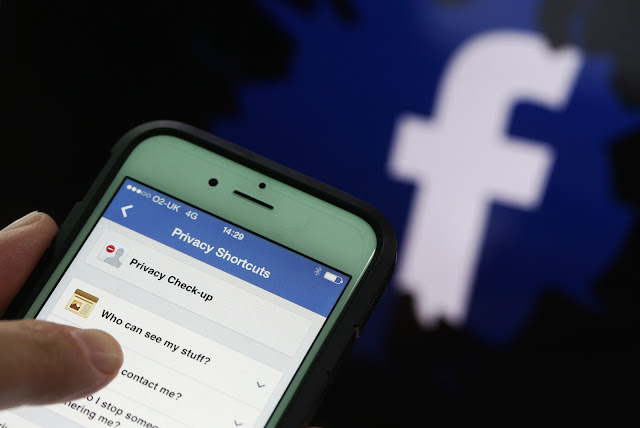
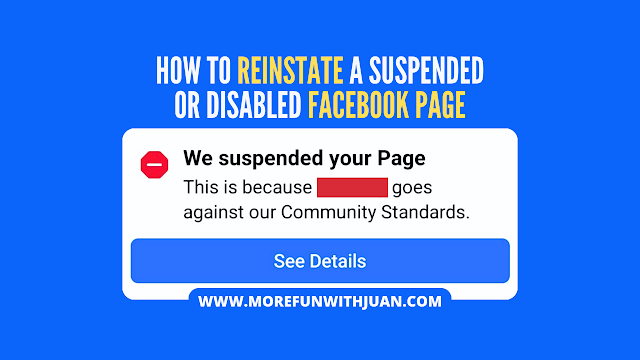
Finding your Facebook page suspended or disabled can be a frustrating and confusing experience, especially when it's a vital platform for your business, community, or personal brand. Unlike simply unpublishing your page, a suspended Facebook page means Facebook has taken action due to a detected violation of its policies. But don't despair—there's often a path to reinstate your Facebook page.


This guide will walk you through the essential steps to understand why your page might have been suspended and how to appeal Facebook's decision effectively.


Loading...

Understanding Why Your Facebook Page Was Suspended

Before you can fix the problem, you need to know what went wrong. Facebook typically notifies the page administrator about the reason for the suspension, often via email. Common reasons for a disabled Facebook page include:

  • Violations of Community Standards: This is broad and covers content issues like hate speech, misinformation, spam, harassment, incitement to violence, promoting illegal activities, or explicit content.

  • Breaches of Advertising Policies: If your page runs ads, non-compliance with Facebook's detailed ad policies (e.g., misleading claims, prohibited products/services, discriminatory practices) can lead to suspension.

  • Inauthentic Behavior: Using fake profiles to manage the page, buying likes or followers, or engaging in coordinated inauthentic behavior to manipulate engagement.

  • Copyright or Trademark Infringement: Posting content (images, videos, music, text) that you don't have the legal rights to use.

  • Security Compromises: If Facebook detects suspicious activity, it might temporarily suspend a page to protect it from unauthorized access.

Always check the email associated with your Facebook account (including spam or junk folders) for a detailed notification from Facebook. This email is your first clue and often contains a direct link to begin the appeal process.


How to Reinstate Your Suspended Facebook Page: A Step-by-Step Guide

The primary method to reinstate a suspended Facebook page is through Facebook's appeal process. Follow these steps carefully:


Step 1: Locate the Appeal Option

Check Your Email: Your suspension notification email from Facebook is the most direct route. Look for an "Appeal" button or link within that email.

  • Log In to Facebook: Try logging into the personal Facebook profile that manages the suspended page. Often, you'll see a pop-up or a notification at the top of your screen with information about the suspension and an option to "Appeal Decision" or "Request Review."

  • Visit the Facebook Help Center: If direct links aren't available, navigate to the Facebook Help Center and search for terms like "disabled page," "suspended page," or "appeal page suspension" to find the relevant forms or instructions.


Step 2: Submit Your Appeal and Provide Necessary Information

Once you find the appeal option, you'll be guided through a form. Be prepared to:

  • Confirm Your Identity: Facebook may ask you to verify your identity. This can involve entering a phone number to receive a verification code or, more commonly, uploading a clear photo of a government-issued ID (e.g., passport, driver's license, national ID card). Ensure the name on your ID precisely matches the name on the Facebook profile associated with the page.

  • Explain Your Case: This is your opportunity to tell Facebook why your page should be reinstated.

  • Be Clear and Concise: Get straight to the point.

  • Be Polite and Respectful: Avoid aggressive or demanding language.

  • Be Honest: If you understand what caused the violation, acknowledge it. Explain what steps you have already taken, or commit to taking, to prevent future violations. For example, "I understand my page mistakenly shared content that violated your spam policy. I have since removed all such posts and reviewed the Community Standards to ensure future compliance."

  • Be Specific: If you genuinely believe the suspension was a mistake, explain why. For instance, "I believe my page was suspended in error. All content adheres to Community Standards, and I have not engaged in any inauthentic behavior."

  • Provide Supporting Evidence (If Applicable): Attach any relevant screenshots or documents that support your claim. This could include screenshots showing content removal, policy review completion, or proof of original content ownership.


Step 3: Await Facebook's Review and Decision

After you submit your appeal, Facebook will review your case. This process can vary significantly in length, from a few days to several weeks, depending on the complexity of the issue and their current support volume.

  • Monitor Your Email: Regularly check the email address linked to your account for updates on your appeal status.

  • Periodically Attempt to Log In: Even without an email notification, try accessing your page occasionally. Sometimes, access is restored before you receive a formal email.


Step 4: What If Your Appeal is Denied or You Receive No Response?

If your initial appeal is rejected, or if you don't hear back after a prolonged period, your options become more limited:

  • Re-appeal (If Available): Facebook sometimes allows for a second appeal after a certain waiting period, especially if you have new information or if the first review seems insufficient.

  • Meta Business Support (for Business Suite Users): If your page is managed through Meta Business Suite/Manager, you might have access to a direct chat support option. This can provide a more direct channel for communication regarding your page.

  • Consider a New Page (Last Resort): If all attempts to reinstate the original page fail and Facebook confirms its permanent disablement, you may be left with no choice but to create a new page. If you do this, ensure you strictly adhere to all of Facebook's Community Standards and policies from day one to prevent recurrence.


Tips to Prevent Future Page Suspensions

Prevention is always better than cure. To safeguard your Facebook page from future suspensions:

  • Know the Rules: Thoroughly familiarize yourself with Facebook's Community Standards and Advertising Policies. Review them periodically, as they can be updated.

  • Content Compliance: Ensure all content you post (text, images, videos, links) strictly adheres to these guidelines. Avoid anything that could be interpreted as spam, hate speech, misinformation, or copyright infringement.

  • Authentic Engagement: Build your audience and engagement organically. Avoid using artificial methods like buying likes, followers, or comments, as these are easily detectable and policy violations.

  • Secure Your Account: Use a strong, unique password for your Facebook profile that manages the page. Enable two-factor authentication (2FA) for an extra layer of security to prevent unauthorized access.

  • Regular Review: Periodically audit your page's content, comments, and messages for any user-generated content that might violate policies.

By understanding Facebook's policies and proactively managing your page, you can significantly reduce the risk of suspension and ensure your online presence remains active and thriving.

Have you experienced a page suspension? Share your tips or questions in the comments below.

Related Guides


How to Fix or Reinstate a Suspended or Disabled Facebook Page


Facebook is no longer just a social media platform—it's now one of the top monetization tools for creators and businesses alike. With over 3 billion monthly active users, Facebook offers several powerful ways to generate income in 2025, whether you create videos, go live, share short-form Reels, or manage a niche page.

In this guide, we’ll break down every way you can make money on Facebook, how to qualify, and how to optimize your content for maximum revenue.


Who Can Monetize on Facebook in 2025?

To monetize, you must meet Facebook’s Monetization Eligibility Standards, including:

  • Being at least 18 years old

  • Having a Facebook Page (not just a personal profile)

  • Complying with Partner Monetization Policies

  • Residing in an eligible country

  • Use the Facebook Creator Studio or Meta Business Suite to check your page's monetization eligibility.


Loading...

Top Ways to Earn Money on Facebook


1. In-Stream Ads (Video Monetization)

Monetize long-form videos (3+ minutes) with ads that play before, during, or after your content.

Requirements:

  • 10,000+ Page followers
  • 600,000 total minutes viewed in the last 60 days
  • At least 5 active videos

Types of Ads:

  • Pre-roll
  • Mid-roll
  • Image overlay

CPM Range: $2 – $10+, depending on niche and audience


2. Facebook Reels Play Bonus (Short-Form Content)

Reels (60 seconds or less) can earn bonuses or ad revenue via the Reels monetization program.

Requirements:

  • 5 original Reels in the last 30 days
  • At least 100,000 Reels plays in the last 30 days
  • Compliance with Meta’s Creator Policies

Bonuses vary—some creators earn $500 to $35,000/month during incentive periods.


3. Fan Subscriptions (Monthly Memberships)

Let fans support you monthly with a recurring fee ($4.99–$29.99/month) in exchange for exclusive content, badges, and perks.

Requirements:

  • 10,000+ followers OR 250 returning viewers
  • 50,000 post engagements in the last 60 days
  • Or 180,000 minutes watched in the last 60 days


4. Stars (Tips from Viewers)

Fans can buy Stars and send them to you during live streams or Reels. You earn $0.01 per Star.

Great for:

  • Gaming streams
  • Q&A sessions
  • Live performances or tutorials

Stars can be turned on even for smaller pages.


5. Branded Content (Sponsorships)

Collaborate with brands using Facebook’s Brand Collabs Manager. Share sponsored posts or videos that brands pay for.

Requirements:

  • 1,000 followers
  • 15,000 post engagements or 180,000 video minutes watched in the past 60 days

Branded deals often pay $100 to $10,000+ per campaign depending on your reach.


6. Affiliate Marketing on Facebook

Promote products and services through affiliate links in posts, Reels, or Stories.

  • Use link shorteners or tracking platforms
  • Best for niche pages (tech, beauty, fashion, fitness)
  • Combine with Reels, giveaways, and polls for more clicks

Popular affiliate networks:

  • Amazon Associates
  • CJ Affiliate
  • ClickBank
  • Impact
  • InvolveAsia


7. Facebook Marketplace & Shops (For Product Sellers)

If you’re selling physical products, set up a Facebook Shop or sell through Marketplace.

  • Integrated with Shopify, WooCommerce, and Instagram
  • Use live shopping events and product tags to boost conversions


How Facebook Pays Creators


Revenue Share: You keep 55–70% depending on the monetization type

Payment Method: Direct deposit or PayPal via Meta Pay

Minimum Payout: $100

Payment Schedule: Monthly, around the 21st


Tips to Maximize Facebook Earnings


🎯 Post Consistently


3–5 times per week with a mix of Reels, videos, and Lives

Stay on trend with audio, memes, and viral formats


📈 Know Your Analytics


Use Creator Studio to track watch time, engagement, and demographics

Identify your top content and replicate its success


🧲 Use Catchy Thumbnails and Titles


Just like YouTube, your visual hook matters

Test emojis, hooks, or questions in titles


🤝 Engage With Fans


Reply to comments and messages

Go live regularly to boost trust and build community


🚀 Promote Cross-Platform


Share Facebook content to Instagram, Threads, Twitter/X, and email lists

Embed Reels or videos on your website or blog


Frequently Asked Questions (FAQs)


1. How much can a Facebook creator earn per month?
Earnings vary based on reach, niche, and monetization methods.


Many creators combine Reels bonuses, fan subscriptions, affiliate sales, and Stars to boost income.


2. Can I monetize my personal Facebook profile?
No. Only Facebook Pages (Business or Creator profiles) can be monetized. You must convert your profile into a page or start a new one to begin earning.


3. Is it free to monetize on Facebook?
Yes. Creating a page and joining monetization programs is 100% free. Facebook takes a small percentage (usually 30%) of things like Stars or fan subscriptions.


4. Do I need to post videos to earn?
Yes, videos are the primary path to monetization—especially for Reels, in-stream ads, and Stars. Text and photo posts alone do not earn ad revenue.


5. How long does it take to start making money?
With consistent content and promotion, creators can reach monetization thresholds within 30 to 90 days. Viral Reels or Lives can accelerate the process.


6. Is Facebook monetization available in my country?
Facebook monetization is supported in 100+ countries, but features like Stars or Subscriptions may be restricted in some regions. Check your eligibility in Creator Studio > Monetization.


Final Thoughts

Facebook in 2025 is more than a social network—it's a fully-fledged creator economy. From Reels bonuses to Stars, affiliate sales, and brand deals, there are endless ways to build a real income stream on the platform.

Success on Facebook comes down to:

  • Consistency

  • Creativity

  • Community engagement

  • Cross-platform promotion

Whether you're a content creator, a business owner, or someone looking to earn from your passion—Facebook offers a scalable, low-barrier opportunity to monetize your voice.


Other Ways to Make Money Online

How to Make Money on Facebook (Content Creator Monetization Guide)


In the age of social media, where connection and interaction have become more important than ever, TUPAD stands out as a beacon of hope and generosity.


This non-governmental organization (NGO) has garnered widespread attention and admiration for its unique initiative of giving away cash prizes to lucky viewers on their Facebook page and TikTok.


With the tagline, "Ang programang sagot sa inyong kahilingan! Walang panga-pangako, TUPAD agad!", TUPAD has quickly become a household name for many Filipinos seeking financial assistance and entertainment.

Loading...

What is TUPAD?

TUPAD Kahilingan is an innovative NGO that aims to bring joy and financial relief to its followers. The show was launched on May 1, 2024.


By leveraging the power of social media, TUPAD reaches a broad audience, offering daily broadcasts where viewers have the chance to win cash prizes ranging from PHP 2,000 to PHP 10,000.


This initiative is not just about the money but also about building a community where people can support each other and find solace in shared experiences.

The show is different from the government-initiated program Tulong Panghanapbuhay sa Ating Disadvantaged/Displaced Workers (TUPAD) through Department of Labor and Employment (DOLE).


Daily Broadcasts with Bayani Agbayani

One of the key highlights of TUPAD is its engaging daily broadcasts, which are hosted by the charismatic Bayani Agbayani. Known for his humor and warm personality, Agbayani brings a unique charm to the program, making each broadcast a delightful experience.

Bayani Agbayani

During these live sessions, Agbayani interviews callers, listens to their stories, and offers them a chance to win cash prizes. The interactions are heartfelt and often emotional, highlighting the real-life struggles and triumphs of ordinary Filipinos.


How to Join the Fun

Participating in TUPAD's online prizes is simple and straightforward. Here’s how you can join:

  1. Like, Follow, and Share: Ensure you have liked and followed TUPAD’s Facebook page and shared their posts to spread the word.

  2. Send a Message: Send a message to TUPAD’s Facebook page with your NAME, ADDRESS, and PHONE NUMBER.

  3. Watch the Live Broadcast: Tune in to the daily live broadcasts and actively participate by commenting with the hashtag #TUPADKahilingan.

By following these steps, you become eligible to be one of the lucky winners who get to share their stories with Bayani Agbayani and receive a cash prize.


ATTRACTIONS TO SEE IN MANILA 

Klook.com

TUPAD’s initiative goes beyond just giving away money. It creates a ripple effect of kindness and hope, inspiring others to lend a helping hand. The stories shared by the callers often resonate with many viewers, fostering a sense of solidarity and empathy. In a time where many are struggling due to various circumstances, TUPAD offers a glimmer of hope and a reminder that there are still good people willing to help.

TUPAD: Ang Programang Sagot sa Inyong Kahilingan!


Facebook, Instagram, and Threads are experiencing outages for numerous users on Tuesday, with thousands reporting difficulties logging in.


According to downdetector.com, over 350,000 problem reports concerning Facebook have surfaced. The outage seems to have commenced around 10 a.m. Eastern Time, with minimal reports preceding this time.

Loading...

Meta, the parent company of Facebook, caters to nearly four billion individuals globally, constituting about half of the world's populace, through its suite of communication apps.

Issues akin to those on Facebook have also manifested on Meta's other social media platforms, Threads and Instagram, peaking around 10 a.m., though fewer users have reported problems with these platforms.


Users attempting to access Facebook via iOS devices have encountered a popup notification stating "Session expired. Please log in again." Upon clicking OK, users are directed to a sign-in page, where login attempts fail after entering their passwords.

Instagram users have received a popup indicating the app's inability to refresh their feeds, although it does not necessitate logging out.


On Threads, users have been unable to view their feeds, encountering a perpetual loading icon.

Apps reliant on Facebook for login authentication are presently unable to do so.

Meta has not promptly responded to requests for comment.

The duration and scope of the outage remain uncertain.

The company's public support website denotes "major disruptions" impacting several core services, including the Meta admin center and the WhatsApp business API, although the status of Facebook Login is labeled as "unknown."

Facebook and Instagram are down on Super Tuesday

taguig barangay contact number  taguig barangay map  taguig city map  taguig population 2019  taguig province  taguig mayor  taguig city logo  brgy. tanyag taguig city

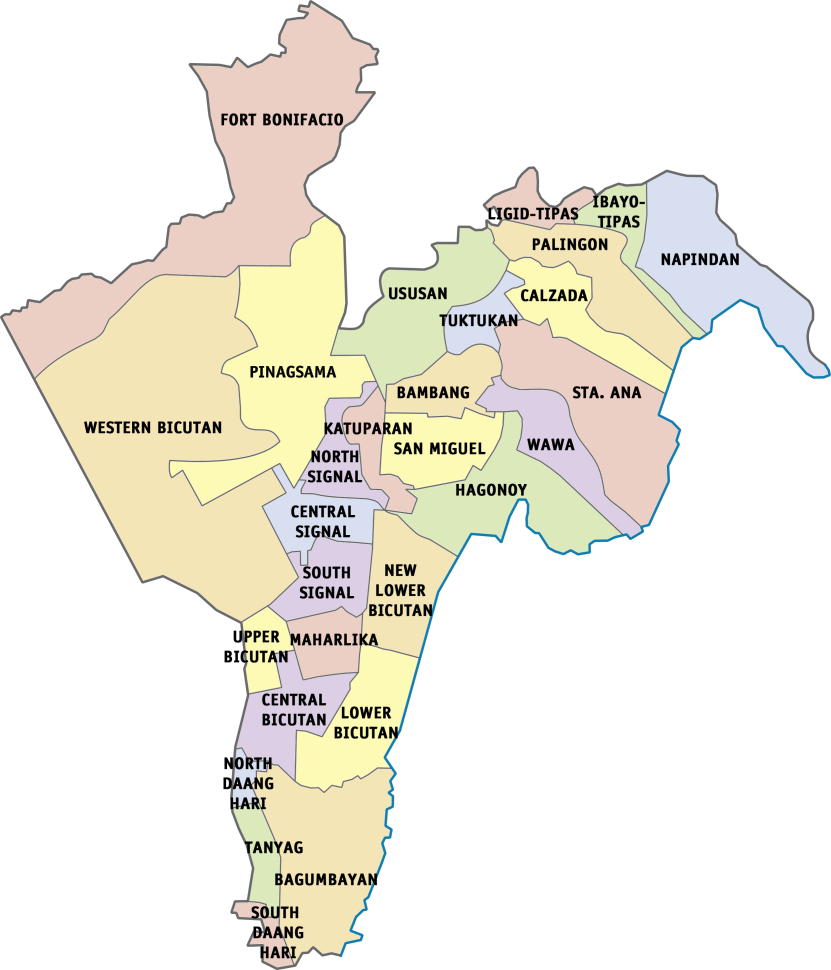
Taguig City officially has 28 barangays since 2008. The barangays are politically clustered into two different districts.


taguig barangay contact number  taguig barangay map  taguig city map  taguig population 2019  taguig province  taguig mayor  taguig city logo  brgy. tanyag taguig city
Taguig Map with Barangays

HOW TO CONTACT BARANGAY HALLS IN TAGUIG

Each barangay in Taguig has their own contact numbers where you can reach their barangay hall (office) by making a phone call. But in today's technology, people (mostly the younger ones) prefer to send message thru social media.

So here I list the Facebook page accounts of each barangay in Taguig City:

Loading...

Bagumbayan - Brgy. Bagumbayan
Bambang - Barangay Bambang Taguig Page
Calzada - Barangay Calzada-Tipas Taguig City
Central Bicutan - Barangay Central Bicutan

Central Signal Village - Bgy. Central Signal - Official
Fort Bonifacio - Barangay Fort Bonifacio
Hagonoy - Barangay Hagonoy
Ibayo-Tipas - Barangay Ibayo Tipas
Katuparan - no active page yet (however, Sangguniang Kabataan - Barangay Katuparan is active)
Ligid-Tipas - Barangay Ligid-Tipas

Lower Bicutan - Barangay Lower Bicutan
Maharlika Village - Ang Pagbabago ng Brgy.Maharlika
New Lower Bicutan - Barangay NewlowerBicutan
North Daang Hari - Barangay North Daang Hari
North Signal Village - Brgy. North Signal Village

Cheapest Flights and Airline Tickets Online Booking

Napindan - Napindan Page

Palingon - Barangay Palingon-Tipas
Pinagsama - BARANGAY PINAGSAMA, Taguig City
San Miguel - Brgy San Miguel
Santa Ana - Barangay Sta.Ana Taguig CIty
South Daang Hari - Brgy South Daang Hari

South Signal Village - Barangay South Signal Village Official
Tanyag - Barangay Tanyag
Tuktukan - Barangay Tuktukan
Upper Bicutan - Upper Bicutan
Ususan - Barangay Ususan
Wawa - Barangay Wawa
Western Bicutan - Barangay Western Bicutan

This list is updated as of August 2023. If there's any changes or updates, please let me know by commenting below.


IMPORTANT NOTE: The rates, contact details and other information indicated in this post are accurate from the time of writing but may change without IMFWJ's notice. Should you know the updated information, please message us on Facebook.

WHERE TO STAY IN TAGUIG:

taguig barangay contact number  taguig barangay map  taguig city map  taguig population 2019  taguig province  taguig mayor  taguig city logo  brgy. tanyag taguig city

Taguig Barangays and their official Facebook Page accounts

Apparently, Facebook is down and they've posted it on Twitter.

#FacebookDown is no. 1 trend on Twitter


This famous burgers shop in New York is coming to the Philippines.


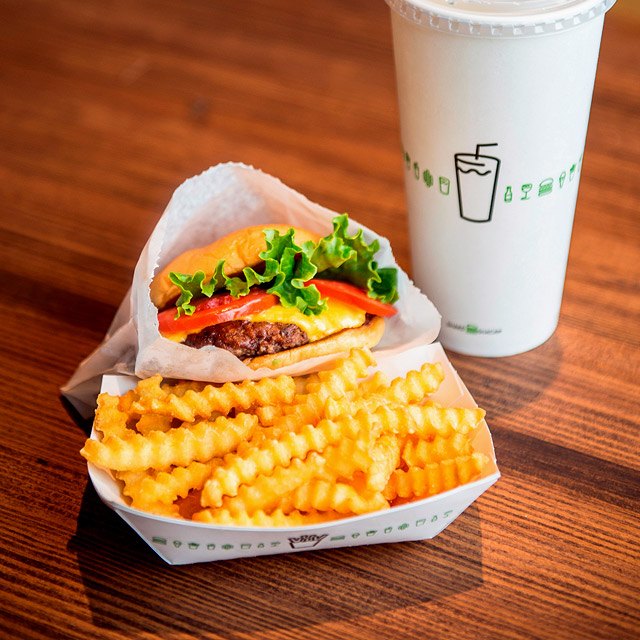
Shake Shack has unveiled its intention to launch a store in Manila, marking its debut in the Philippines

In an announcement posted on their Facebook page, the renowned burger chain extended a warm "Mabuhay, Manila!" greeting, signaling its forthcoming arrival in the Pearl of the Orient.

Loading...


The company revealed plans to introduce its offerings to Manila in spring 2019, igniting anticipation among eager patrons as they embark on the countdown to the grand opening.


With the promise of bringing their signature goods to the Filipino capital, Shake Shack's announcement resonates across social media platforms. The anticipation among Manila's culinary enthusiasts is palpable, as they eagerly await the arrival of the internationally acclaimed burger joint.

As Shake Shack prepares to expand its global footprint, Manila emerges as a strategic destination, poised to embrace the brand's distinct flavors and renowned hospitality.


As the announcement reverberates online, Shake Shack's Facebook post serves as a beacon of excitement for Manila's food scene. The anticipation surrounding the impending launch underscores the city's growing appeal as a hub for culinary innovation and international gastronomy.


ATTRACTIONS TO SEE IN MANILA 

Klook.com

With the unveiling of its Manila store, Shake Shack embarks on a new chapter, poised to captivate Filipino taste buds and redefine the burger experience in the vibrant capital city.

Are you excited to wait till 2019? Share your thoughts below!


LOOKING FOR KITCHEN OR DINING NEEDS?

Here are the best options to shop for your kitchenware and dining essentials:

Shopee is my go-to app for things I needed like the ones above. If you'd like discounts and vouchers, you may get the best offers here:

READ NEXT . . .


Shake Shack is Opening Soon in Manila!

instant article plugin for blogspot  signup for facebook instant articles  instant articles minimal readership  blogspot articles  articles about facebook  facebook article writing  this page is ineligible for instant articles.  minimal readership facebook instant articles

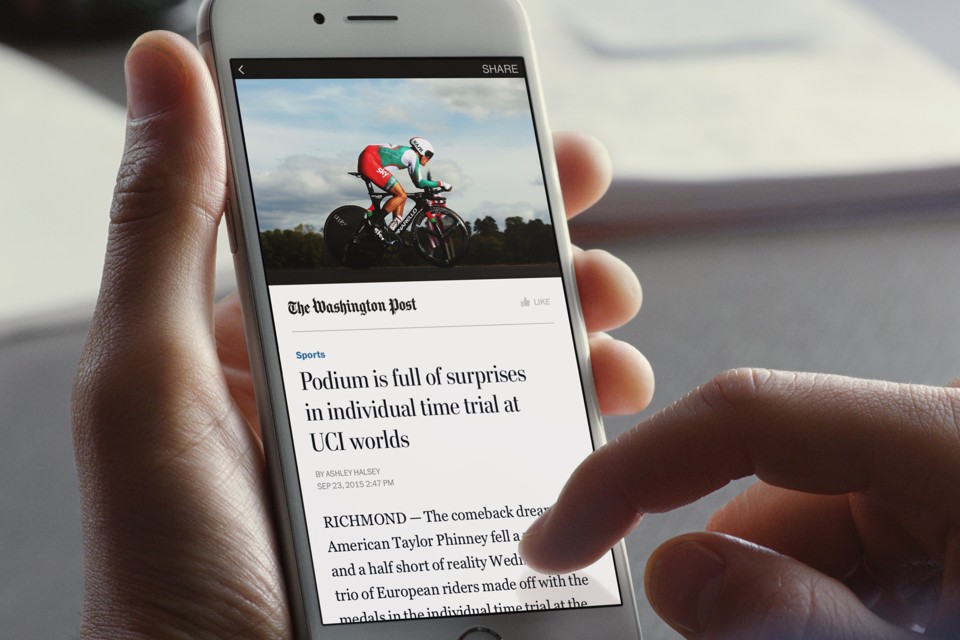
You want to create Instant Articles for your Blogger site but you don't know how? This is the EASIEST WAY I've research over the internet.


In this latest article, it will share you the another tutorial that you can get Facebook Instant Articles for a Blogger blog. You will not have any another way to push Facebook approves your instant articles for your Blogger blog besides this below explanation.

Loading...

You need to understand about the instant articles HTML rule and I think that it would be hard for beginner blogger, so I would share this and the easiest way for a young blogger experience to get approval from Facebook.

Approved to Publish Instant Articles

How To Start Facebook Instant Articles For Blogger?

Thus, before you step into this tutorial, you have to get ready within the creation of the Facebook developer App that you can start to create it from the Facebook developer website. And here is the another tutorial that guides you to create the Developer App for Website and here to get the video tutorial.


How To Get Facebook Instant Articles For Blogger?

If you are using WordPress CMS, you would be getting more easy configuration instant articles by using WordPress Instant Articles Plugin. But in this tutorial, I am focusing on sharing the information that helpful for all of you that are using Blogger Blog and need to get approved to publish instant articles from Facebook for your instant articles submission.

Create New Instant Article

After creating new apps and configure it with your blog, you have to create 10 instant articles by the manual.

  1. Go to your Facebook page and click on Publishing tools (top right side)
  2. Click on the Production Articles
  3. Click on Create button
  4. Copy below Simple Code then paste into the field and change everything which shown in highlight then press Save.

Here is the simple code that you can of the Production Instant Articles that you can use it for the primary one.


<html>
<head>
<link rel="canonical" href="Add Your Artices URL Here">
<meta charset="utf-8">
<meta property="op:generator" content="facebook-instant-articles-sdk-php">
<meta property="op:generator:version" content="1.1.0">
<meta property="op:generator:application" content="facebook-instant-articles-wp">
<meta property="op:generator:application:version" content="2.11">
<meta property="op:generator:transformer" content="facebook-instant-articles-sdk-php">
<meta property="op:generator:transformer:version" content="1.1.0">
<meta property="op:markup_version" content="v1.0">
<meta property="fb:article_style" content="default">
</head>
<body>
<article>
<header>
<h1>ARTICLETITLEHERE</h1>
<time class="op-published" datetime="2016-01-26T16:59:55+00:00">January 26th, 4:59pm</time>
<time class="op-modified" datetime="2016-01-26T03:33:47+00:00">January 26th, 3:33am</time>
<address><a>AUTHORNAMEHERE</a></address>
</header>
<h2>SUBTITLEHERE</h2>
<p>FULLPARAGRAPHHERE</p>
<p>
FULLPARAGRAPHHERE</p>
<p>
FULLPARAGRAPHHERE</p>
<b>BOLDTEXT</b>
<footer>
</footer>
</article>
</body>
</html>


Basic Blockquote

Add blockquote to your instant article by using the <blockquote> element within the body of your articles.

<blockquote>
  Create a blockquote is available here
</blockquote>

The Simple List Code
If you would like to add an unordered list in your instant article, please use the <ul> element to wrap the items in the list, that each designated with the <li> tag.

<ul>
  <li>Aproval</li>
  <li>Instant</li>
  <li>Articles</li>
</ul>

Basic Image In the articles

In case you would like to add the image in your articles, use this simple presentation of the image within an Instant Articles is to wrap an <img> tag with a <figure> element and have the src attribute points to the URL course of the image.


<figure>
  <img src="http://blogsupporter.com/folder/img.jpg" />
</figure>

Once you have done the above instruction, you will need to wait for 3 to 5 days to get checking and approved publish Instant Articles from the Facebook team.


How To Create Facebook Instant Articles For Blogger (The Easiest Way)


Do you still think that Facebook is doing its job to connect people?

R.I.P. Organic Reach - Facebook

facebook news feed changes 2018  facebook news feed changes 2019  facebook changes 2018  facebook algorithm change 2018  recent changes to facebook  facebook pages feed 2018  facebook changes 2019  facebook latest feature

It’s only January, and publishers are already scrambling to reassess their social strategies for 2018 due to Facebook News Feed changes.


The new Facebook algorithm will favor content from friends and family over content from publishers or businesses, pushing publishers to work even harder to get their content seen on the platform.

While this news may seem apocalyptic for media outlets — 45% of U.S. adults get their news from Facebook — the Facebook algorithm update isn’t the end of the world.
Loading...


Yes, it could be bad in the short term. Publishers will likely see engagement drop if they don’t make moves to adjust to this change. But in the long run, the Facebook News Feed updates will actually be good for the publishing industry as a whole.

Why? Because it will weed out the “losers.” It will cut out those who don’t have what it takes to succeed on Facebook, and it will make more room for those who can adapt and innovate. Small publishers who’ve long been pushed to the side by big-name brands could also stand to benefit from this change, as it may level the playing field a bit.


As Ned Berke wrote for MediaShift, “The planned changes will have less of an impact on the strategies of small publishers, and significant payoff awaits those embracing the fundamentals of engagement.”


Let’s take a look. READ MORE

What are the Good and Bad Effects of the New Facebook News Feed in 2018?

facebook travel groups india  family travel facebook groups  traveling facebook groups  facebook travel group names  facebook travel pages  travel blog facebook page  adventure travel facebook pages  best tourism facebook pages

Here are the list of Facebook groups you should join in for traveling.


In an era where digital connectivity shapes how we explore the world, Facebook groups have become invaluable hubs for travelers seeking advice, inspiration, and camaraderie. With an abundance of groups catering to diverse interests and destinations, navigating the vast array can be daunting.

Loading...

However, amidst the plethora of options, certain Facebook groups stand out as indispensable resources for wanderlust-stricken adventurers. These communities offer a wealth of firsthand insights, insider tips, and shared experiences that enrich every aspect of the travel journey.


1. Part-Time Traveler Talk

If you’re the kind of traveler who goes on journeys while still maintaining your full time job (may that be a 9 to 5, or your own business), then this group is for you! Still and the same, Part-Time Traveler Talk generally welcome any type of traveler and it’s a great community to ask for travel advice and tips.


2. Nomads

This is an online community that is centered on long-term sustainable travel. Certainly, with its huge number of members that are global and full-time travelers, you’re bound to receive a pool of great answers for whatever question that you may have.


3. Ultimate Travel Group

This is a group that created by Aileen after she realized the shortage of Facebook groups out there that generously shares opportunities for every traveler and travel blogger — may they be current or aspiring ones.


4. Travel Bloggers

Travel Bloggers is composed of the more established travel bloggers worldwide and only admits travel bloggers. Naturally, the discussions here are composed of feedback and advice about the business side of blogging that includes technical questions, blogging strategy, social media strategy, and so much more.


5. Travel Collab Post Opportunities

If you want to gain more exposure for your blog, to be featured in someone else’s blog is definitely a great step. Therefore in this group, travel bloggers regularly post these opportunities for collaborative and guest posts so you should grab those chances as early as now!


6. Girls vs Globe


This group is where all traveling girls can connect and talk about their struggles and achievements on the road.


7. Travel Photography

This is a VERY supportive group for traveling photographers! Rather than focusing on photo sharing, it is centered more on exchanging tips, tricks, and resources among one another.


8. Travel Video Group

If you’re more into video-making or vlogging, this group is the #1 place for you! They have a lot of members here who are experienced YouTubers, videographers, and more.


9. Backpackers of the Philippines (BOP)


In this group, you will definitely find individuals who are more than willing to guide and welcome you in the country. (BOP also regularly host other events like meet-ups, outreach programs, and the like).


10. South-East Asia Backpacking

Just like how it’s called, this is one of those Facebook Groups who will aid you on your backpacking trip across South-East Asia.


11. DIY Travel Philippines


For Filipino travelers like me, I suggest you join this group. With 500k members, it's a great medium of audience and community. Nice thing about this is you meet other Filipino bloggers and travelers and be friends with them.


12. Samahan ng mga Food & Travel Bloggers/Vloggers PH

Last October 2017, I created this group focusing on Filipino bloggers and vloggers who can share their blogs, vlogs and ideas witihn the group. Also to help and support each one in boosting traffic on their websites and blogs.


ATTRACTIONS TO SEE IN MANILA 

Klook.com

From budget backpackers to luxury globetrotters, the 12 Best Facebook Groups Travelers Should Join In curate a diverse tapestry of perspectives and expertise.

Whether you're in search of off-the-beaten-path destinations, solo travel tips, or family-friendly adventures, these groups provide a welcoming space to connect with fellow travelers and glean invaluable advice. Embark on a virtual voyage through these curated communities, where the collective wisdom of seasoned explorers awaits to guide and inspire your next escapade.


12 Best Facebook Groups Travelers Should Join In