Social Items

Showing posts with label Blogging. Show all posts

Are my photos from Blogger going away with the new update from Google's Album Archive? Here's an answer for you.


A few days ago, I received an email from Google saying that they will stop Album Archive by next month. See email below:

Email from Album Archive team

I was confused since I haven't heard of the service until today. Apparently, some of my photos (most of them from Blogger) are "stored" in Album Archive. I was confused and worried thinking that I will eventually lose my photos since I have thousands of photos uploaded on Blogger for my blog.

Good thing, there's a recent discussion I saw from Blogger Help Community that helped me ease my worries and cleared out my confusion.

Loading...

Here's a nice explanation from Adam on June 16, 2023:

There are, understandably, a number of questions about this today, so I have merged them into this roll-up thread.
  • A new storage scheme is in the works:
  • https://support.google.com/blogger/answer/13656070
  • This transition is supposed to happen automatically; we'll see how that goes
  • Some images may need to be moved "manually," which means downloading them (if you need to) and uploading them again
  • Google will notify you of any images that need manual action
  • Google clearly expects to be able to do this automatically for most images
  • Google has done that once before, when it moved Blogger images from Picasaweb into the Album Archive.

A few more thoughts:
  • If you only need to download a small number of images, your browser probably has a "save image as" option. Otherwise, you can use Google Takeout.
  • Beware of images uploaded from old accounts you may have forgotten about. Especially if the email of record for an old account is out of date (so that you will not see google's notification).
  • We do not know today how clear the documentation from Google will be about describing affected images. It will probably be easier to replace things manually before the original image is deleted and it can be used as a marker and guide.


Updates to image storage on Blogger

Last year, to provide a number of reliability benefits, Blogger switched domains for serving new images. Now, that update is extended to images posted in the past. 

Where possible, old image URLs on your blog are now converted to the new format. You can also find Blogger copies of images cross-posted from another product uploaded on the new domain, blogger.googleusercontent.com.

You can be confident when the image is uploaded at blogger.googleusercontent.com: 
  • The URL won’t expire.
  • Modifications in Google Photos won’t accidentally break images on Blogger.
  • For image owners, images appear in Takeout
  • You can find and manage data at blogger.com/mediamanager.


Move images to the new format manually

  • There may be some images where we can’t move to the new format automatically. If it’s important to you to continue displaying those images, you need to download, upload, and replace that image manually in your blog. 
  • This change doesn’t impact images hosted on third-party sites and old Photos1 images.

To make it easier to check unsupported image URLs, there’s a new dashboard that shows posts and pages with unsupported images. You can check the dashboard and address the unsupported URLs to replace them. 
  • Sign in to Blogger.
  • At the top left, select a blog.
  • From the menu on the left, click Settings.
  • Navigate to Manage blog > Manage unsupported image URLs.
  • Select a post. Unsupported URLs will be highlighted in HTML editing mode. 
  • To fix unsupported images, download and re-upload them. This generates a new, supported image URL.

Tip: If the link isn’t visible, your blog isn’t impacted by the changes. You can also check unsupported URLs as the HTML editor view also highlights it.


ACTIVITIES AND TOURS IN MANILA


Here's an updated from John from Google as of writing today:

It looks like there is understandably some confusion surrounding Album Archive being turned down, we’d love to clear up a few points:

First off, your Blogger images aren't going anywhere. Even though Album Archive shows you a list of your blog's images, Album Archive itself doesn't store them, so when it is turned down Blogger images are unaffected. Ahead of this deprecation, we built a new tool–blogger.com/mediamanager–which you can use to view and manage your Blogger images in the same way.

Though unrelated to turning down Album Archive, Adam also pointed out that we're in the process of unifying the way we store and serve images. We're expecting this transition to be painless for almost all users, but in rare cases where we aren't able to update the image ourselves we will provide users with a dashboard of images that require attention.


Conclusion

Album Archive is definitely closing. But if you are a Blogger user, for as long as you can see your photos from blogger.com/mediamanager, worry no more, your photos are safe and will stay.


Related Blogger Guides


Album Archive Is Closing, What Will Happen To Blogger Photos?


In the ever-evolving landscape of digital marketing, SEO (Search Engine Optimization) remains a cornerstone of online success.


While content creation is vital for engaging your audience, it's equally important that your content is discoverable by search engines. This is where SEO writing comes into play. In this comprehensive guide, we'll explore the fundamentals of SEO writing, strategies for optimizing your content, and tips for staying ahead in the world of SEO.

RELATED: Why I Chose to Focus on Blogging than Being a Social Media Influencer

Loading...

What is SEO Writing?

SEO writing, often referred to as search engine optimization writing, is the practice of creating content that is not only valuable and engaging for your audience but also optimized to rank well on search engines like Google, Bing, and Yahoo. The goal is to enhance your content's visibility in search engine results pages (SERPs) and attract organic traffic to your website.


Why is SEO Writing Important?

Increased Visibility: SEO writing helps your content rank higher in search results, making it more likely to be seen by users searching for relevant information.

Better User Experience: Optimized content often leads to a better user experience, as it provides users with the answers and information they seek more efficiently.

Organic Traffic: Ranking well in search results can drive organic (unpaid) traffic to your website, reducing the need for paid advertising.

Credibility and Authority: Higher search rankings can establish your website as a credible source in your niche, building trust among your audience.


The Fundamentals of SEO Writing

Keyword Research: The foundation of SEO writing is keyword research. Identify the keywords and phrases your target audience is likely to use when searching for information related to your content. Tools like Google Keyword Planner, SEMrush, and Ahrefs can assist in this process.

Quality Content: Creating high-quality, valuable content should always be your priority. Your content must address the needs and interests of your audience. Search engines prioritize content that provides genuine value.

Keyword Placement: Strategically place your target keywords throughout your content. Include them in the title, headers, meta description, and naturally within the body of your text. However, avoid overusing keywords, as this can lead to keyword stuffing, which is penalized by search engines.

Content Structure: Organize your content using headers (H1, H2, H3, etc.) to create a clear hierarchy. This not only aids readability but also signals the importance of different sections to search engines.

Optimize Images: Use descriptive alt tags for images to improve accessibility and provide additional context for search engines.


On-Page SEO Techniques

On-page SEO refers to optimizing elements directly within your content and webpages. Here are essential on-page SEO techniques for SEO writing:

  • Title Tags: Craft compelling and keyword-rich title tags for your pages. Keep them under 60 characters to ensure they display properly in SERPs.

  • Meta Descriptions: Write concise meta descriptions that provide a brief summary of your content and include relevant keywords. Aim for 150-160 characters.

  • URL Structure: Create clean and descriptive URLs that reflect the content of your page. Avoid using complex strings of characters.

  • Internal Linking: Link to other relevant pages on your website. This not only helps users navigate your site but also distributes SEO authority throughout your content.

  • Mobile Optimization: Ensure your website and content are mobile-friendly, as Google considers mobile usability a ranking factor.


Off-Page SEO Techniques

Off-page SEO involves strategies that occur outside of your website but can influence its search engine rankings:

  • Backlinks: High-quality backlinks from authoritative websites can significantly impact your SEO. Build relationships with other websites in your niche and aim for natural, relevant backlinks.

  • Social Signals: Social media shares and engagement can indirectly influence your SEO. Encourage social sharing of your content to increase its visibility.


SEO Writing Best Practices

If there's something I learned throughout my writing is the following:

Write for Humans: While SEO is essential, your primary audience is still human readers. Prioritize user experience, readability, and engagement.

Long-Form Content: Longer articles (around 1,500-2,000 words) often perform better in search results, as they provide more comprehensive information.

Regular Updates: Keep your content fresh and up-to-date. Regularly revisit and refresh older articles to maintain their relevance.

Diverse Content Types: Utilize various content types, such as blog posts, infographics, videos, and podcasts, to cater to different audience preferences.

Monitor Analytics: Use tools like Google Analytics to track the performance of your content. Identify what's working and what needs improvement.


SEO Writing Tools

Others might ignore these, but for me, these tools are the "bread and butter" of SEO writing:

Yoast SEO: A popular WordPress plugin that helps optimize content for SEO by providing real-time recommendations.

Grammarly: A writing assistant that helps improve grammar, punctuation, and readability.

SEMrush: An all-in-one SEO toolkit that provides keyword research, competitive analysis, and content optimization features.

Ahrefs: A comprehensive SEO toolset known for its backlink analysis and competitive research capabilities.

Google Search Console: Provides insights into how Google views your site, including indexing issues and keyword performance.

I list 5 more effective SEO Writing Tools. Check them out!


ATTRACTIONS TO SEE IN MANILA 

Klook.com

SEO writing is a critical skill in the digital age, empowering content creators to reach wider audiences and deliver valuable information effectively. By understanding the fundamentals of SEO, mastering on-page and off-page techniques, and following best practices, you can enhance your content's visibility, engage your audience, and establish your online presence.

Keep in mind that SEO is an ongoing process, and staying up-to-date with industry trends and search engine algorithms is key to long-term success in SEO writing.

WHAT IS SEO WRITING: The Essence of Search Engine Optimization, On-Page and Off-Page SEO and Important Tools


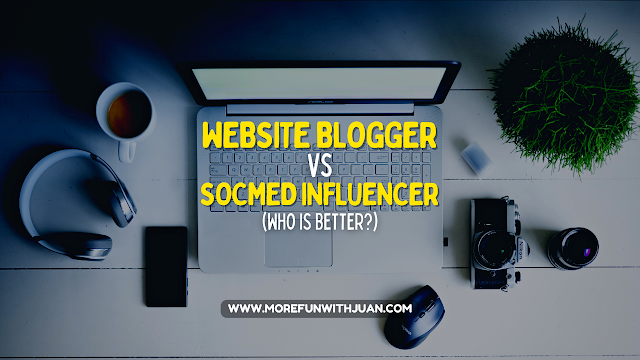
What are the differences between a Website Blogger vs Social Media Influencer and which of them is sustainable? This is a perspective from both a blogger and an influencer.


Content Creation in 2020's

In the dynamic landscape of online content creation, two prominent avenues have emerged for individuals to share their perspectives, expertise, and creativity: website blogging and social media influencing.


Website Blogger vs Social Media Influencer

Website bloggers craft in-depth and comprehensive content through their own dedicated websites, allowing them to explore topics at length, establish niche authority, and engage with their audience in a more substantial manner. With full control over branding and design, bloggers can curate a unique online space that reflects their personality and expertise, while also harnessing the power of search engine optimization for lasting visibility.

On the other hand, social media influencers have harnessed the instantaneous nature of platforms like Facebook, Instagram, TikTok, and YouTube to engage with their audience through bite-sized, visually appealing content. These influencers excel at conveying messages concisely and leveraging their personal brand to create relatable and inspiring content. Operating within the fast-paced realms of social media, influencers capitalize on trends, collaborations, and real-time engagement to connect with a diverse range of followers, often offering a glimpse into their everyday lives, sharing quick tips, and providing entertainment in easily digestible formats.

Loading...

Me as a Blogger and an Influencer

I would say that I am both a website blogger and a social media influencer, though I don't want to be called "influencer". My foundation in blogging is expressing myself in writing and photos. But in today's trend, with social media getting the big chunk of people's attention and time on a daily basis, I have to cope up and go with the flow by creating contents (video and reel), too.

In contrary, many are still using Google Search or YouTube if they need to find a specific details about something they are interested at. That is why I regularly update my web blog and create new contents to cater wider audience.

I must be happy since I hit both of the goals - but honestly, I cannot sustain both with my energy and time. I must weigh in which of the two should I focus more and which of them benefits me more.


Advantages of Being a Website-based Blogger

Maintaining a website blog offers several advantages over being solely a social media influencer. Here are five compelling reasons to consider:


Ownership and Control

With a website blog, you have complete ownership and control over your content, design, and branding. You're not dependent on the algorithms or policies of social media platforms, which can change and impact your visibility and reach.


Long-Form Content

Blogs allow you to delve into topics in greater depth through long-form content. This is especially valuable for sharing detailed information, tutorials, guides, or thought-provoking articles that may not fit within the constraints of social media captions.


Search Engine Visibility

A well-optimized blog can rank in search engines like Google, driving organic traffic to your website over the long term. This means people interested in your niche can discover your content even when they're not actively following you on social media.


Branding and Niche Authority

A blog provides a platform to establish yourself as an authority in your niche. Consistently creating valuable and informative content showcases your expertise and builds your credibility over time.


ATTRACTIONS TO SEE IN MANILA 

Klook.com

Diverse Monetization Opportunities

While social media influencers often rely on brand partnerships and sponsorships, a blog offers diverse monetization options. You can earn through affiliate marketing, selling digital products, online courses, premium content, ads, and more, providing multiple income streams. Not to mention of the great possibility of having a passive income.


ACTIVITIES AND TOURS IN MANILA

Final Thoughts

It's worth noting that a balanced approach can be effective. Many successful content creators integrate their website blog with their social media presence to enjoy the benefits of both platforms while minimizing their respective limitations.

Though personally, I earned money from both platforms, I get more from my website than my social media accounts. Influencers with a hundred thousand to a million followers may earn more with their deals with brands and companies. But as I go back to the opening line on this article - which of them is sustainable? My chosen path will always go with the answer to that question.


Why I Chose to Focus on Blogging than Being a Social Media Influencer


Content creation is NOT FOR FREE.


I said it before, "content creators must be fairly treated and compensated". Paying a content creator can yield numerous benefits, reflecting the value they bring to your brand or project. Here are five compelling reasons why investing in a content creator is a wise decision:

Loading...

1. Quality and Expertise

Content creators are skilled professionals who bring their expertise to the table. By compensating them, you ensure that you receive high-quality content crafted with precision, creativity, and a deep understanding of the subject matter.

Your ability to consistently deliver high-quality material establishes credibility, making you a trusted source of information or entertainment within your niche.


2. Time and Effort

Being a content creator requires significant time and effort as you invest in researching, planning, creating, and refining your content to meet high standards. By dedicating these resources, you ensure the delivery of content that resonates with your audience and provides meaningful value.

By compensating content creators, you free up your own time and resources, allowing you to focus on other critical aspects of your business or project.


3. Unique Perspective

Content creators offer a fresh and unique perspective. Their creativity and originality can help your brand stand out in a crowded market, as they infuse their distinctive voice and style into the content they produce.


4. Consistency

Consistency is key in content creation. Paying content creators allows you to establish a consistent stream of high-quality content, which is crucial for building and maintaining your audience's engagement and loyalty.


ATTRACTIONS TO SEE IN MANILA 

Klook.com

5. Professionalism and Partnerships

Compensating content creators demonstrates professionalism and fosters positive relationships. It communicates that you value their work and are invested in a mutually beneficial partnership, leading to long-term collaborations and a strong rapport.


Final Thoughts

Ultimately, paying a content creator isn't just a financial transaction; it's an investment in your brand's growth, visibility, and overall success.


ACTIVITIES AND TOURS IN MANILA


5 Reasons Why You Should Pay a Content Creator


Here are the reasons why many people choose to create contents today.


Content creators enjoy a multitude of advantages that extend beyond the act of creation. From fostering personal growth to professional opportunities, the benefits of being a content creator encompass both intrinsic and tangible rewards.

Loading...

Creative Expression

Content creation allows you to express your creativity and share your unique perspective with the world. Whether through writing, videos, art, or photography, you have a platform to showcase your talents and passions.


Personal Branding

As a content creator, you can build a personal brand that reflects your expertise and values. This can lead to opportunities for collaboration, partnerships, and even career advancements within your niche.


Community Building

Through your content, you can connect with like-minded individuals who share your interests. Building an engaged audience fosters a sense of community and enables meaningful interactions.


Monetization

uccessful content creators can monetize their efforts through various means, such as sponsorships, affiliate marketing, ad revenue, and selling products or services. This financial aspect can turn your passion into a sustainable income source.


ATTRACTIONS TO SEE IN MANILA 

Klook.com

Final Thoughts

In the dynamic landscape of digital creation, being a content creator isn't just about producing materials; it's about embracing a journey rich in personal growth, community engagement, and potential avenues for professional success. From the joy of artistic expression to the potential for financial independence, the benefits are as diverse as the content they create, empowering individuals to make their mark in the online world while reaping both intrinsic and practical rewards.

Your next thought might be Who is Better: Website Blogger VS Social Media Influencer?


ACTIVITIES AND TOURS IN MANILA


Here are 4 Benefits of a Content Creator


Blogging maybe new to you, but I've been doing this for 7 years now. Why is it considered sustainable? I'll tell you my reasons here.


What is Blogging?

Blogging involves the regular creation and publication of written content on a website, covering a wide range of topics to inform, entertain, or engage an audience. Bloggers use this platform to share their insights, experiences, expertise, and opinions while fostering connections with readers.


Sustainable Blogging

Blogging offers a sustainable and enduring platform for content creation and engagement. Here are five reasons why blogging is a sustainable endeavor:

Loading...

Diverse Content Formats

While primarily known for written content, blogs can incorporate various multimedia elements like images, videos, infographics, and podcasts. This adaptability allows you to cater to different audience preferences and engage them through diverse content formats, maintaining sustained interest.


Evergreen Content

Blog posts can be designed as evergreen content, which remains relevant and valuable over time. Unlike the transient nature of social media posts, well-crafted blog articles can continue to attract readers and drive traffic for months or even years after publication.


Search Engine Visibility

Blogs optimized for search engines can rank well in search results, generating organic traffic. This consistent flow of visitors, often seeking information on specific topics, contributes to the sustainability of your blog's reach and influence.


Niche Authority

Over time, consistent and high-quality blogging establishes you as an authority in your chosen niche. As your reputation grows, readers and industry peers will come to view your blog as a reliable source of information, enhancing its sustainability.


Monetization Opportunities

Blogs offer various avenues for monetization, such as affiliate marketing, sponsored content, selling digital products or services, and more. This diversity in income streams enhances the financial sustainability of your blog.


ATTRACTIONS TO SEE IN MANILA 

Klook.com

Conclusion

By creating valuable, evergreen content, optimizing for search engines, building authority in your niche, diversifying monetization strategies, and adapting to evolving content formats, blogging becomes a sustainable venture that can yield consistent benefits over time.


ACTIVITIES AND TOURS IN MANILA


5 Points That Prove Blogging is Sustainable


It's More Fun With Juan was a featured blog by blogmeter.top for a week in August 2019.


For the past 3 years, this blog site has been at the no. 1 spot on blogmeter.top for Travel and Leisure category on for their daily, weekly and monthly charts and no. 4 on overall ranking.


About BlogmeterTop

BlogmeterTop is a Web analytics service that offers to track and report website traffic for all PH blogsites. They track the user’s activity on the site such as page visits and statistics. BlogmeterTop’s approach is to show the dashboard-type data (as a more in-depth data) report for the casual PH blogsite owner.

I am happy to be part of the top blogs in the Philippines.
Loading...


Here's a short interview by blogmeter.top for me as their featured blogger for the week (August 15, 2019):


Featured Blog of the Week – Mark Mutuc

Mark Mutuc –  It’s More Fun With Juan
August 15, 2019

I am a man with full of dreams in life. I believe that humans were made to live a life to the fullest and make dreams to happen even the impossible ones. I am serious at work but fun to be with. 🙂

I travel and eat food from different places because I want to explore things, ideas, culture, people and experiences. I write and do blogs because I wanted to share those “stories” to others.


TELL US ABOUT YOUR BLOG. WHEN DID YOU START IT AND WHY? 

I created It’s More Fun With Juan (Facebook page) in 2012 just for me to create a place where I can start sharing my travel experiences. It wasn’t known by many until some of my posts in 2016 went viral on Facebook. That’s the time when I learned to create my own website and write full articles/blogs. In 2017, I bought the domain www.morefunwithjuan.com for my blog.

PS: It’s More Fun With Juan is inspired from Philippine tourism’s slogan: “It’s more fun in the Philippines”


WHO OR WHAT INFLUENCES YOUR INTEREST TO BLOG?

I can honestly say that my main influence in blogging (or to write travel blogs) is the “pinoyadventurista.com“. I was really a fan of this blog since I started traveling. It didn’t just help me in finding good itinerary for my travels but it also encouraged me to start my own travel blog.


NAME 5 BLOGS THAT YOU USUALLY READ.

1. It’s More Fun With Juan (yes, I am the no. 1 fan of my own! Hahaha)
2. PinoyAdventurista
3. PinasMuna
4. The Poor Traveler
5. Out of town blog ???


ASIDE FROM BLOGGING, WHAT’S YOUR HOBBY?

I hop from different food places every weekend! 😀


WHAT’S YOUR DAY JOB?

Blogging. Yup, I earn money from it.


WHERE DO YOU USUALLY BLOG?

50% home. Another 50% from home. Hahaha


WHAT’S THE COOLEST THING ABOUT BLOGGING?

Well, for me the coolest thing about blogging is the “non-stop learning”. I learned so much information and skills in just a few years of doing this. I didn’t know how to hold and use a DSLR not until I wanted to snap beautiful scenes I’ve witness during my travels. I didn’t know how to create a blogsite, use HTML codes or even just buying a domain not until I needed them because of blogging. Big thanks to Google for helping me a lot! 😀 I also learned about digital marketing, photo and video editing, SEO, and many more!

Cheapest Flights and Airline Tickets Online Booking

WHAT  DO YOU DO TO VENT ANGER?

There’s a very little chance for me to get angry. Thanks to my loooooooooong patience! But when I am, you won’t be able to talk to me. I will need to have my own space and be alone for a little while just to vent out.


WHAT’S YOUR FAVORITE BLOG POST? WHY?

There’s a lot. However, most of my favorites are the ones I created to share my own experience and/or point of view because that’s how I want to share to others. Although, I seldom write commentary.

Some of my personal experience blogs can be seen here.


WHAT’S YOUR MOST POPULAR POST? WHAT DO YOU THINK IS THE REASON WHY IT’S THE MOST COMMENTED AND READ?


That article has gained almost 2 million views and 200,000 shares in just 1 week in 2018. I really don’t know HOW and WHY it became popular like that. Maybe, people are just excited to know about the good news and it got a very catchy title on it. Hahaha


WHAT CAN YOU SAY( WHAT’S YOUR COMMENT) ABOUT THE LATEST TRENDS IN BLOGGING?

Well, I am still a newbie in this industry compare to others. But in just a short span of time, it has been changing since I enter the community. Blogging has been greatly influenced by social media. Before there was only GOOGLE. Today, when you decided to start a blog, the first thing you need to do is create a Facebook, Instagram and Twitter accounts. Your audience are spending most of their time using those platforms. Every blogger should always adapt to changes like this.


WHAT DO YOU THINK IS THE BEST ADVICE YOU CAN GIVE TO THE NEWBIE BLOGGERS AND TO THOSE WHO WANTS TO START BLOGGING?

The first advice was answered previously. 😀 Another advice is when you start blogging, begin by expressing yourself. Focus on creating a blog in your own way, your own style. Fame and money will just follow (followers will just follow, too! :D). Do it for fun! It’s always nice to do things that you really love and your having fun with. 🙂

ATTRACTIONS TO SEE IN MANILA 

Klook.com

Frequently Asked Questions (FAQs) About BlogmeterTop


HOW TO REGISTER?
Any PH blogger can register in the site, via this link - https://blogmeter.top/member/?a=join
The site requires the blog site and email for verification of the said account.

WHAT TO DO AFTER REGISTRATION?
The blogger needs to wait for the activation and approval of the account. Once approved, the user can now be able to logged on to the site.

User is presented with dashboard where they can make necessary updates like add, edit their sites, view stats and get the link code or badge code.

HOW TO GET A RANK ON BLOGMETER?
Every registered blogger needs to put the code to their respective blog sites in order for the blogmeter system to detect it and will update the statistics in its backend.

WHAT HAPPEN IF YOU DON’T ATTACH A LINK CODE OR BADGE?
You will be prompted via an auto-email service to act on it. The no attached code found will be automatically ranked by the data from Alexa.

HOW DO WE RANK IN BLOGMETER?
We do rank by detecting the attached link code from the blogger site and get counted via its unique visits. Their system automatically tracks daily, weekly and monthly unique page visit/views of the blogger’s site.

AGAIN, registered user MUST attach a link code or badge to his or her respective blog IN ORDER for them to get the rank details.

WHAT TO EXPECT AFTER RANKING?
You will be receiving monthly emails, for statuses and rankings.
You will also be receiving other updates on site features and other announcements via emails.
We keep improving the system so therefore many updates and pieces of information will be disseminated.

ACTIVITIES AND TOURS IN MANILA


Until today, my blog site is on the top spot of BlogmeterTop for Travel and Leisure.

IMFWJ: The No. 1 Travel Blog on Blogmeter.Top


What is Robots.txt?


Robots.txt is a text file which contains few lines of simple code.

It is saved on the website or blog's server which instruct the web crawlers on how to index and crawl your blog in the search results.

That means you can restrict any web page on your blog from web crawlers so that it can't get indexed in search engines like your blog labels page, your demo page or any other pages that are not as important to get indexed.
Loading...


Always remember that search crawlers scan the robots.txt file before crawling any web page.

Each blog hosted on blogger has its default robots.txt file which is something look like this:

User-agent: Mediapartners-Google
Disallow:
User-agent: *
Disallow: /search
Allow: /
Sitemap: http://example.blogspot.com/feeds/posts/default?orderby=UPDATED


Explanation

This code is divided into three sections. Let's first study each of them after that we will learn how to add custom robots.txt file in blogspot blogs.

User-agent: Mediapartners-Google

This code is for Google Adsense robots which help them to serve better ads on your blog. Either you are using Google Adsense on your blog or not simply leave it as it is.

User-agent: *

This is for all robots marked with asterisk (*). In default settings our blog's labels links are restricted to indexed by search crawlers that means the web crawlers will not index our labels page links because of below code.

Disallow: /search

That means the links having keyword search just after the domain name will be ignored. See below example which is a link of label page named SEO.

And if we remove Disallow: /search from the above code then crawlers will access our entire blog to index and crawl all of its content and web pages.

Here Allow: / refers to the Homepage that means web crawlers can crawl and index our blog's homepage.


Disallow Particular Post

Now suppose if we want to exclude a particular post from indexing then we can add below lines in the code.

Disallow: /yyyy/mm/post-url.html

Here yyyy and mm refers to the publishing year and month of the post respectively. For example if we have published a post in year 2013 in month of March then we have to use below format.

Disallow: /2013/03/post-url.html

To make this task easy, you can simply copy the post URL and remove the blog name from the beginning.


ATTRACTIONS TO SEE IN MANILA 

Klook.com

Disallow Particular Page

If we need to disallow a particular page then we can use the same method as above. Simply copy the page URL and remove blog address from it which will something look like this:

Disallow: /p/page-url.html

Sitemap: http://example.blogspot.com/feeds/posts/default?orderby=UPDATED

This code refers to the sitemap of our blog. By adding sitemap link here we are simply optimizing our blog's crawling rate.
 
Means whenever the web crawlers scan our robots.txt file they will find a path to our sitemap where all the links of our published posts present.
 
Web crawlers will find it easy to crawl all of our posts.
 
Hence, there are better chances that web crawlers crawl all of our blog posts without ignoring a single one.
 
Note: This sitemap will only tell the web crawlers about the recent 25 posts. If you want to increase the number of link in your sitemap then replace default sitemap with below one. It will work for first 500 recent posts.

Sitemap: http://example.blogspot.com/atom.xml?redirect=false&start-index=1&max-results=500

If you have more than 500 published posts in your blog then you can use two sitemaps like below:

Sitemap: http://example.blogspot.com/atom.xml?redirect=false&start-index=1&max-results=500

Sitemap: http://example.blogspot.com/atom.xml?redirect=false&start-index=500&max-results=1000


ACTIVITIES AND TOURS IN MANILA


Adding Custom Robots.Txt to Blogger

Now the main part of this tutorial is how to add custom robots.txt in blogger. So below are steps to add it.
  • Go to your blogger blog.
  • Navigate to Settings >> Search Preferences ›› Crawlers and indexing ›› Custom robots.txt ›› Edit ›› Yes
  • Now paste your robots.txt file code in the box.
  • Click on Save Changes button.
  • You are done!


How to Check Your Robots.txt File?

You can check this file on your blog by adding /robots.txt at the end of your blog URL in the web browser. For example:

http://www.yourblogurl.blogspot.com/robots.txt

What are Robots.txt Benefits and How to Add it on Blogger